Every agent skill you own, in one place.
A local-first dashboard to discover, organize, and favourite the agent skills scattered across your machine — global, project, and repository sources, unified.
Also available for Windows
- Free
- Open Source
- Local-First
- No Account Required
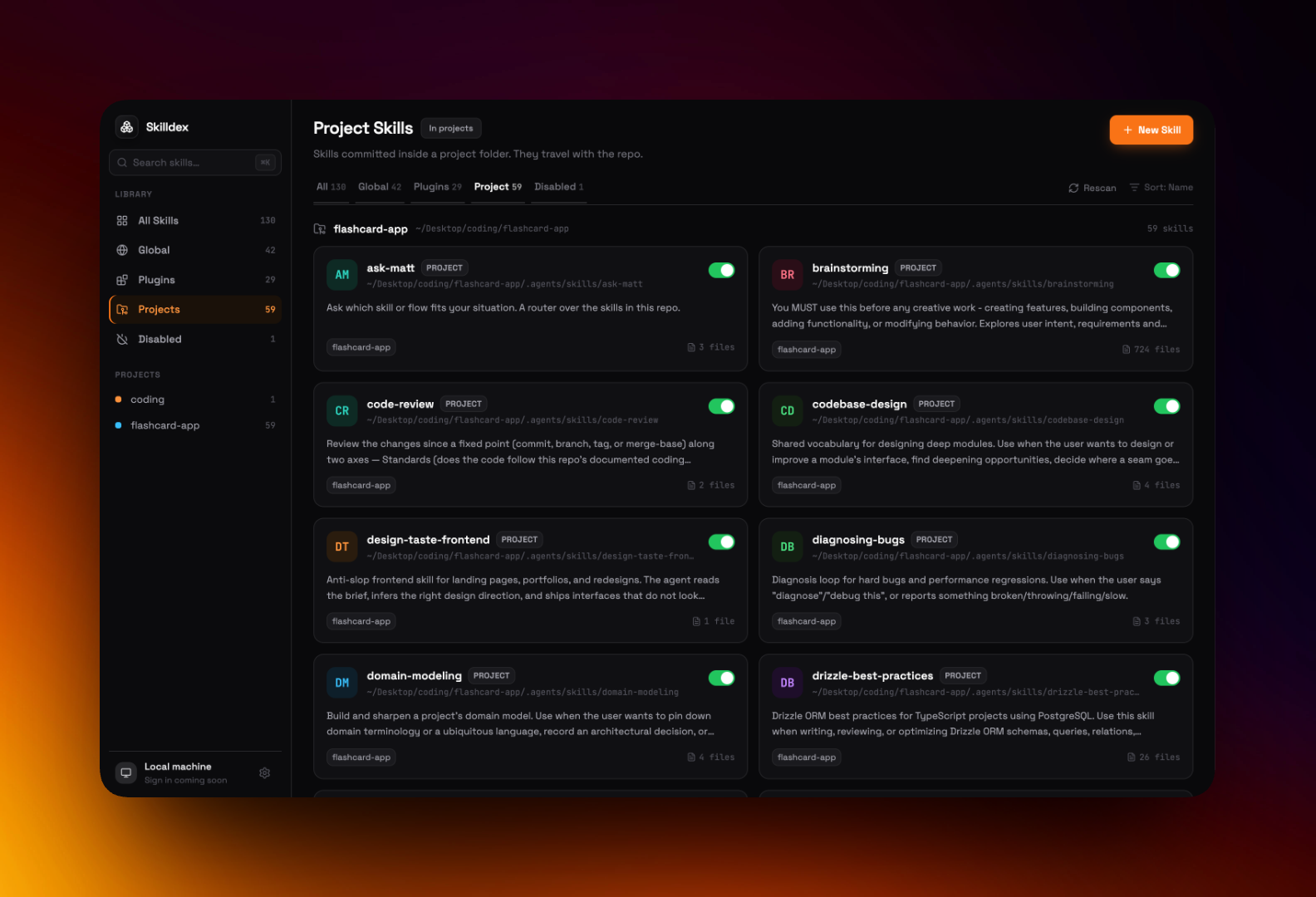
See it in action
Your skills, finally organized.
Skilldex turns a scattered pile of skill folders into a dashboard you actually want to open.
One overview of every skill across your environment.
Everything you need
Built for how developers actually work.
No cloud dashboards, no busywork — just a fast, local view of every skill you've got.
Unified Catalog
Every agent skill — personal, plugin, and project — normalized into a single, searchable dashboard.
Instant Search
Fuzzy-search across names and descriptions. Find the right skill the moment you need it.
Favourites
Star the skills you use constantly and keep them one click away, no matter where they live.
Multi-Source Discovery
Global environments, project folders, and Git repositories — Skilldex watches them all.
Local-First & Private
Everything runs on your machine. No cloud, no telemetry, no account — your workspace stays yours.
Open Source
MIT-licensed and built in the open. Read the code, file an issue, or ship a PR.
One dashboard, every source
Wherever your skills live, Skilldex finds them.
Skills come from all over your setup. Skilldex normalizes the three source kinds into a single catalog.
Global
Skills installed in your home environment, available everywhere you work.
Plugins
Skills bundled by the plugins and tools you've added to your setup.
Projects & Repos
Skills that live inside a project or Git repository, discovered as you open them.
Installing on macOS
Opening Skilldex the first time.
Skilldex is open source and not yet notarized by Apple, so macOS asks you to approve it once. Here's the 20-second, one-time unlock.
On first launch you'll see “Apple could not verify ‘Skilldex’ is free of malware.” That's expected for an app that isn't notarized yet — not a sign anything is wrong. Choose Done, never Move to Trash.
- 1
Move Skilldex to Applications
Open the downloaded skilldex.dmg and drag Skilldex into your Applications folder.
- 2
Try to open it once
Double-click Skilldex. When the “could not verify” warning appears, click Done to dismiss it.
- 3
Open Privacy & Security settings
Go to the Apple menu → System Settings → Privacy & Security, then scroll to the Security section.
- 4
Click “Open Anyway”
You'll see “Skilldex was blocked to protect your Mac.” Click Open Anyway, then confirm with Touch ID or your password.
Prefer the terminal? Run this once instead — it clears the download quarantine flag so Skilldex opens straight away:
xattr -dr com.apple.quarantine /Applications/Skilldex.appYou only do this once. After Skilldex is approved, it opens normally every time.
FAQ
Questions, answered.
How much does Skilldex cost?
Nothing. Skilldex is completely free and open source under the MIT License.
Do I need to create an account?
No. Skilldex is local-first and runs entirely on your machine — there's no sign-up and no login.
What exactly is an “agent skill”?
A reusable capability you give a coding agent — packaged instructions and files it can load on demand. Skilldex finds every one of them across your system so you can see and manage them in one place.
Where does Skilldex look for skills?
Across three source kinds: your global/personal environment, plugins you've installed, and the projects and Git repositories you work in.
Does any of my data leave my computer?
No. Skilldex reads your local directories to build the dashboard and never uploads anything. There's no telemetry and no cloud sync.
Which platforms are supported?
Skilldex is a desktop app for macOS and Windows, with a Linux build on the roadmap.
macOS says Skilldex “could not be verified” — is it broken?
No. Skilldex isn't notarized by Apple yet, so macOS blocks it on first launch. Click Done, then open System Settings → Privacy & Security and click “Open Anyway” in the Security section. See the Install section above for the full one-time steps.
Can I use it for commercial work?
Yes. The MIT License lets you use Skilldex freely for personal and commercial projects alike.
How can I contribute?
Star the repo, open an issue, or send a pull request. Skilldex is built in the open and contributions are welcome.
Take control of your agent skills.
Free, open source, and running entirely on your machine. Install Skilldex and see everything in one place.
Also available for Windows